
Timesheets, approvals, and PDF exports
Submit timesheets, review approval status, include approved PTO, and download full or summary PDFs.
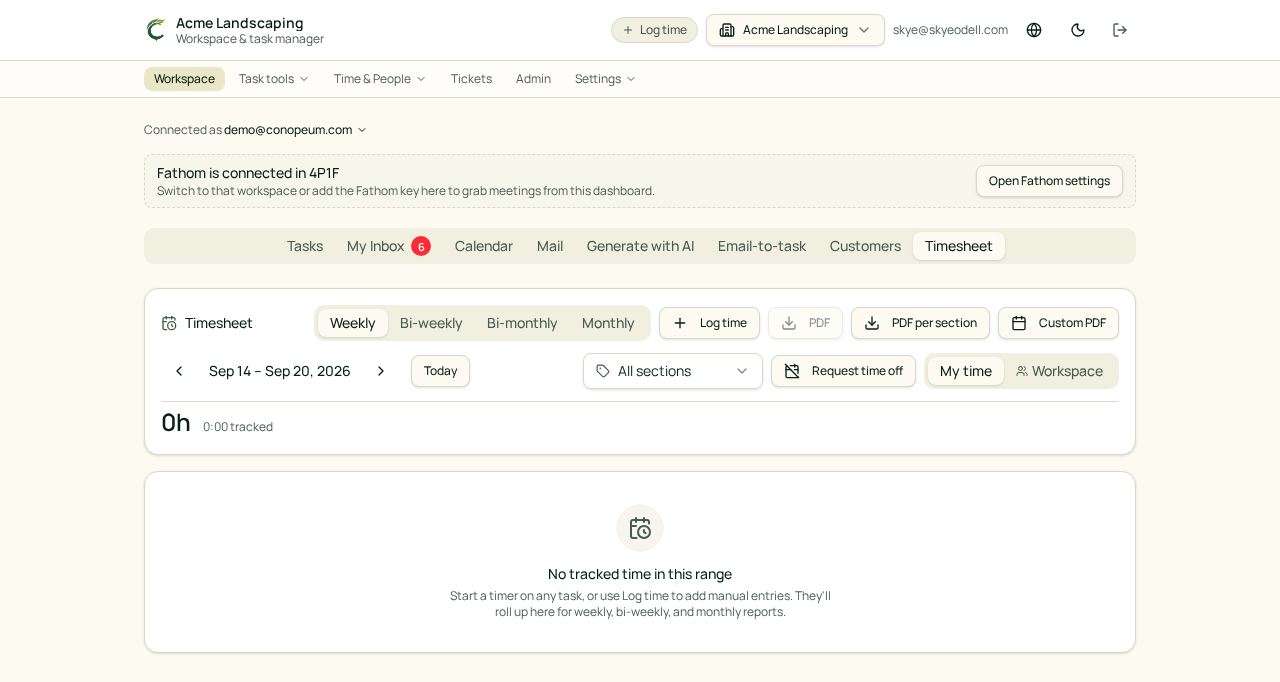
Review your timesheet
Open Time & People, then Timesheets. Choose the current period and review each time entry before submitting it. A workspace can use weekly, biweekly, semimonthly, or monthly periods.
Approved paid time off appears as its own row so the submitted total includes both worked time and approved PTO.
Submit for approval
When the period is ready, select Submit for approval. The submission records the period totals for review. An approved submission is locked so its reviewed values stay consistent.
Owners and Managers can open the approval area to:
- Review submitted periods and their status.
- Approve or reject a submission.
- Reopen a submission when corrections are required.
- Review time-off balances alongside other HR review information when those features are enabled.
Download a PDF
Use Full PDF for detailed time-entry rows or Summary PDF for a compact total. Approved PTO is included in both exports when it belongs to the selected period.
Permissions and available tabs depend on the member's workspace role and enabled HR settings.
See also: Submitting your timesheet · Approving timesheets · Running a timer.