
Google Tasks sync
Learn how Conopeum uses Google Tasks as a source of truth to sync assignments, sections, and time across your Google Workspace.
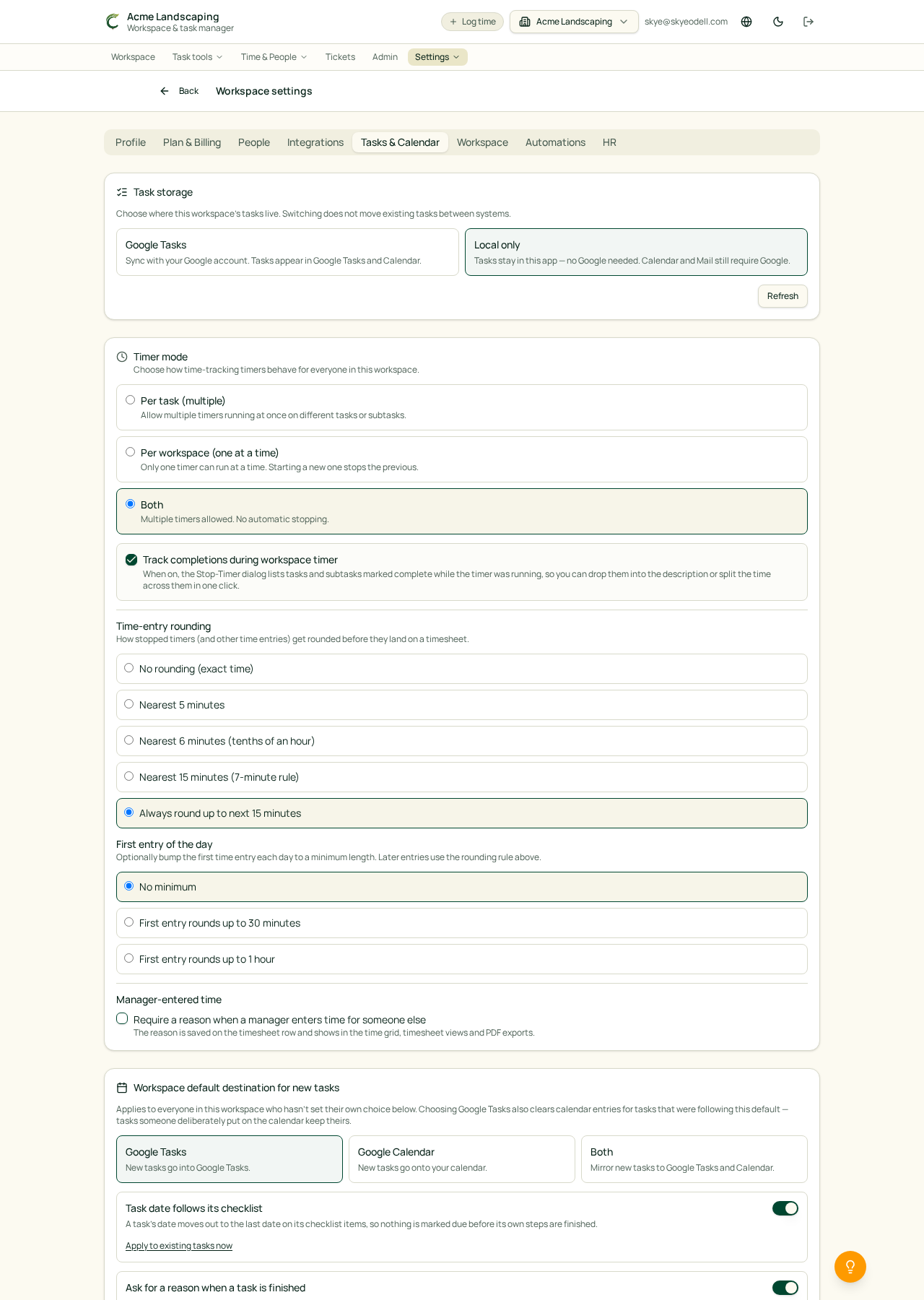
Overview
Conopeum uses Google Tasks as its core source of truth. When you connect your Google accounts, Conopeum layers advanced features like assignments, sections, time tracking, and integrations on top of your existing lists. This ensures your tasks remain available in the Google Tasks mobile app, Gmail sidebar, and Google Calendar.
Enable sync
1. Connect a Google account if you haven't yet (see Connecting multiple Gmail accounts). Conopeum supports multiple Google accounts per workspace.
2. Open Settings: Integrations: Google, expand the account row, and ensure your account is active. Because Google Tasks is the source of truth, your tasks are natively managed within your Google environment while Conopeum provides the team collaboration layer.
3. Conopeum mirrors your data in the background: existing Google Tasks items are pulled in, and Conopeum enhancements (like sections and assignments) are applied within the Conopeum interface.
What syncs
- Title, notes, description, due date, and completed state.
- Google Tasks serves as the foundation: Conopeum adds metadata including assignments, sections (pipelines), and time on top of these items.
- Advanced tracking: Time tracking data and Plutio integrations are managed in Conopeum and mapped to the underlying Google Task.
What if I have multiple Google accounts?
Conopeum is built for multi-inbox workflows. You can connect multiple Google accounts to a single workspace, allowing you to manage tasks across different sets of Google Tasks lists simultaneously.
Managing Tasks
If you move a task between sections in Conopeum, it updates your pipeline status (e.g. sales, support). If you complete a task in the Google Tasks mobile app, it will be marked as resolved in Conopeum.
Troubleshooting
- Tasks not appearing: Confirm that your Google account is properly connected in the Integrations settings and that you have granted the necessary permissions for Conopeum to access your Google Tasks.
- Metadata missing: Remember that fields like 'Section' and 'Assignee' are Conopeum-specific layers. They will be visible in the Conopeum interface but do not appear in the standard Google Tasks app.