
Workspace task settings
Configure sections, locations, ticketing, completion reasons, dates, and waiting behavior.
Open task settings
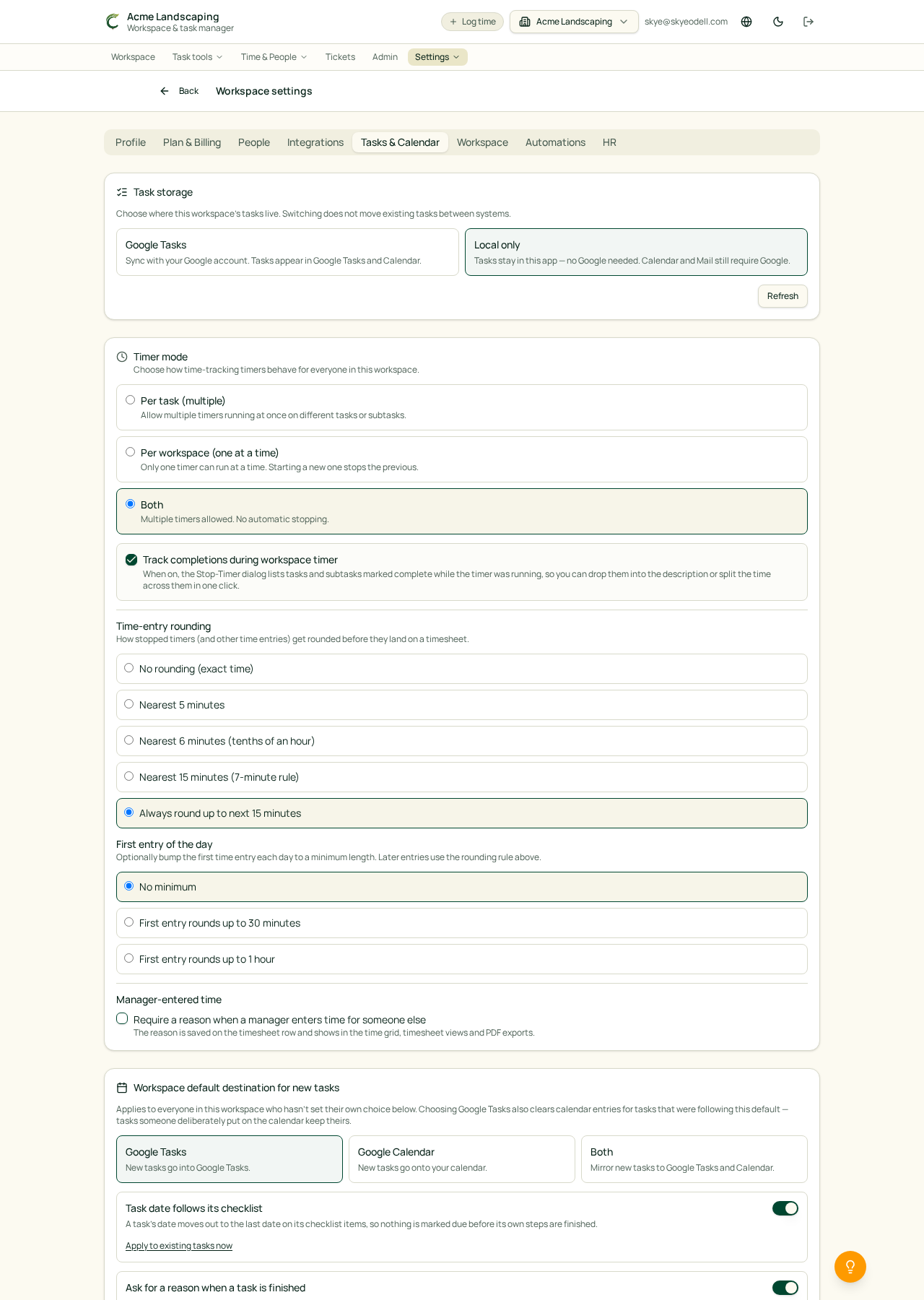
Owners and Managers can open Settings → Tasks to control how tasks behave in the current workspace.
Sections and locations
Turn sections off when your workspace does not use them. Section choices disappear throughout the app, but stored section information is retained if you enable sections again later. Locations can also be enabled for task labeling and filtering.
Completion reasons
When Require a completion reason is on, members must add a note when completing or reopening a task. Turn it off for one-click completion. Completed tasks keep their due dates and are visibly marked complete.
Checklist due dates
Enable Task date follows its checklist to move a parent task date out to its latest dated checklist item. This never pulls the parent date earlier. Owners and Managers can apply the rule to existing open tasks.
Waiting tasks
Choose whether a public comment clears a waiting note and whether tasks automatically return to Active when their follow-up date arrives. Waiting tasks appear in the Waiting view instead of active task tabs.
Tickets
Enable the Tickets dashboard to show the Tickets menu. Individual tasks can then be tracked as tickets, and sections can make newly created tasks tickets automatically.
Subtask completion notes
In Settings → Tasks & Calendar, Owners and Managers can choose Complete without asking, Ask for an optional note, or Require a note. The choice applies to checklist items in the task list and inside a task, including punchlists. Required notes must be entered before completion; optional notes can be left blank. Reopening does not ask for a note. Completing all pending subtasks uses the shared reason entered in the confirmation. Existing workspaces keep one-click subtask completion until this setting is changed.
Task page layouts
In Settings → Tasks & Calendar → Task page layout, choose Task template for the original sidebar arrangement or Task template modern for the redesigned Overview with Details beside Subtasks. Owners and Managers set the workspace default. Each person can choose their own layout for that workspace or select Workspace default to follow it. The same personal choice is available under My task layout in a task’s three-dot menu. Choices are remembered and affect only how tasks are displayed, not task contents, assignments or permissions.