
Which workspace does Conopeum use?
Learn how Conopeum manages workspaces across your team and how the primary workspace is determined for tasks and integrations.
Overview
Conopeum is built for teams in Google Workspace, allowing you to connect multiple Google accounts per workspace. Because you might belong to several workspaces, it is important to understand how tasks and data are routed.
Workspace Membership and Roles
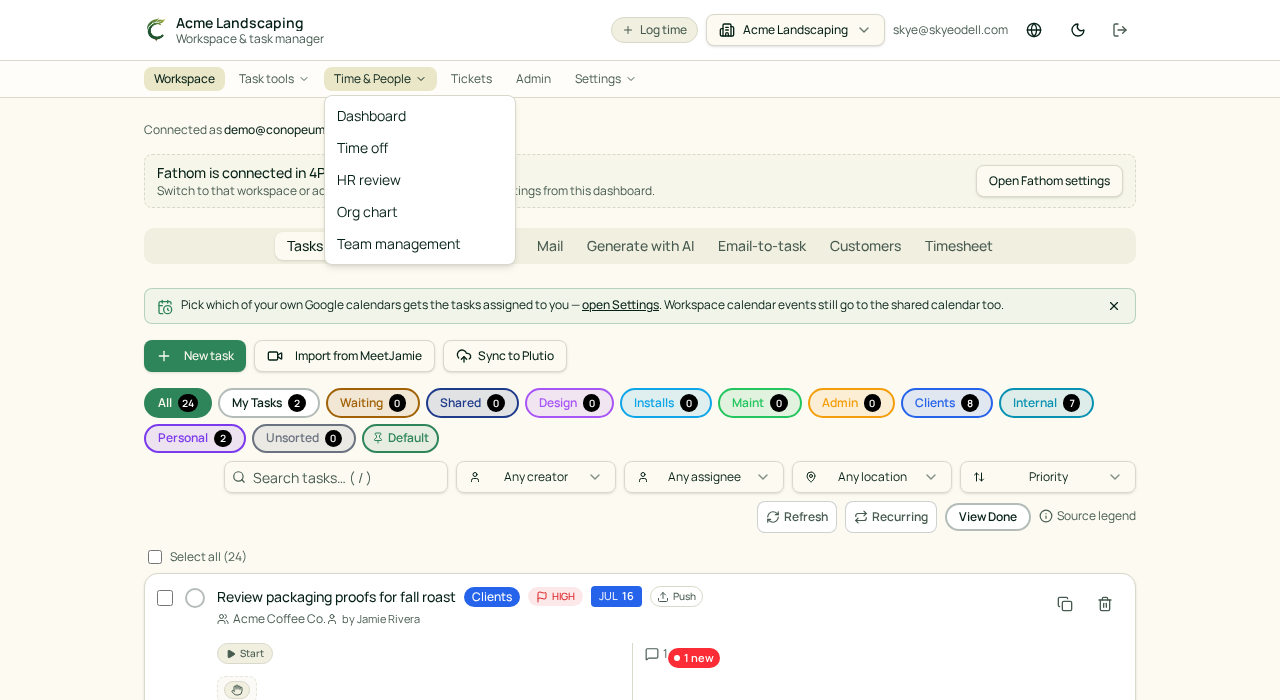
Every workspace in Conopeum has specific members and roles. When you turn a Gmail thread into a task, it is created within your active workspace. You can manage multiple team environments by switching between these workspaces in the app interface.
The Source of Truth
Google Tasks remains the source of truth for your work. Conopeum layers assignment, sections, and integrations on top of these tasks. When using integrations like Plutio or Canva, the data syncs to the workspace where the task originated.
Customer Matching and Workspace Data
Customers are auto-created from inbound emails. Conopeum uses case and whitespace insensitive matching (trim + lowercase) to ensure duplicates do not slip into your workspace. When a matching customer is found, missing fields like name, phone, or organization are backfilled from the new submission automatically.
Time Tracking and Sections
Sections within your workspace mirror your unique pipelines, such as sales or support. When tracking time through the Plutio integration, categories are resolved in a specific order: customer, then section, and finally the workspace default.
How to Check Which Workspace is Active
You can see your active workspace name in the Conopeum interface. If you need to move a task or thread to a different team environment, ensure you have switched to the correct workspace before using the Add-as-task dialog. Note that if you attempt to add a task for an existing customer, a duplicate email warning will surface with a "matched existing customer" note.
Best Practices for Teams
To keep your workspace organized, use sections to define your workflow. If your team uses the Canva add-on, remember that exported files sync to Google Drive and link back to the source task as attachments, keeping all workspace assets in one place.