Getting Started with Conopeum
Learn how to manage Gmail tasks, track time, and use integrations with Conopeum for Google Workspace.
Overview
Conopeum is a multi-inbox Gmail task manager built for teams in Google Workspace. It allows you to turn Gmail threads into tasks, assign them, and track progress without leaving your inbox. By connecting multiple Google accounts, your team can manage support, sales, and operations in one place.
Core Features
- Gmail to Task: Convert any email into a task. Assign owners, add comments, and set deadlines directly in Gmail.
- Google Tasks Integration: Conopeum use Google Tasks as the source of truth, layering on professional features like assignments, sections, and time tracking.
- Customer Management: Customers are auto-created from inbound emails. Our system uses trim and lowercase matching to prevent duplicates. When a match is found, Conopeum backfills missing fields like name or phone number from the new submission.
- Ticket Merging: If a customer sends multiple threads, you can merge them into a single task to keep your workspace organized.
Integrations
Conopeum connects with your favorite tools to streamline your workflow:
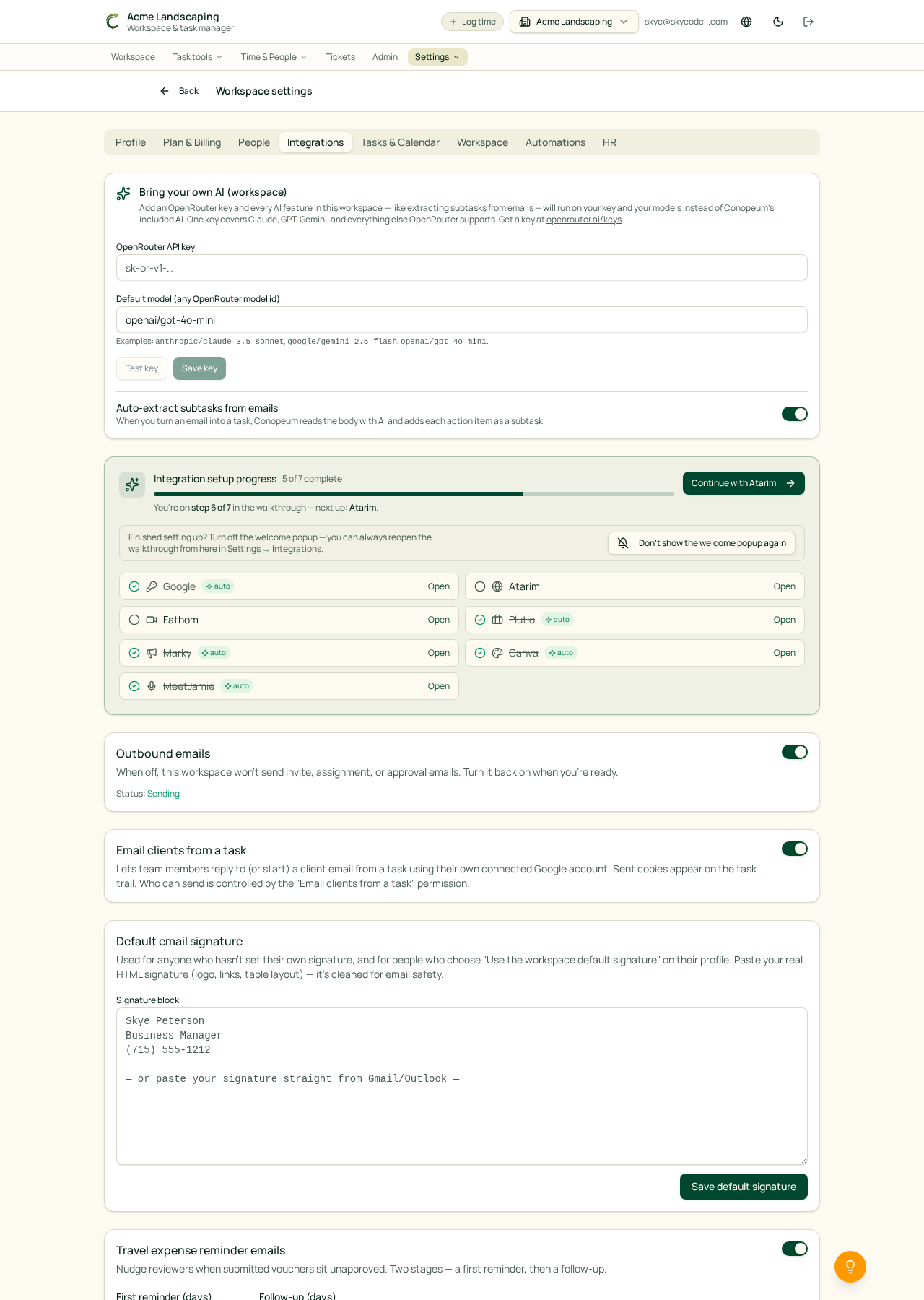
- Canva: Create designs or open templates from any task. Exported files sync to Google Drive and link back to the source task.
- MyMarky: Send tasks to MyMarky as draft social posts. Attachments are uploaded to Marky's library, and a link is added back to your task via comment.
- Plutio: Enjoy two-way sync for customers, tasks, and comments. Time tracking is precise, resolving categories from the customer, section, or workspace default levels.
- Fathom: Automatically convert your meeting notes into actionable tasks.
Coming Soon
We are currently working on expanding our integration library to include:
- Avaza: For pushing tasks and mirroring time entries per teammate.
- Atarim: To pull website feedback tasks directly into your workspace.
Troubleshooting
If you see a duplicate email warning in the Add-as-task dialog, it means Conopeum has matched an existing customer. You can proceed knowing your data stays consolidated. For help with time tracking, ensure your Plutio categories are configured at the workspace, section, or customer level.