
Approving time off requests
How Owners and Managers review, approve, and reject time off requests from their team.
Overview
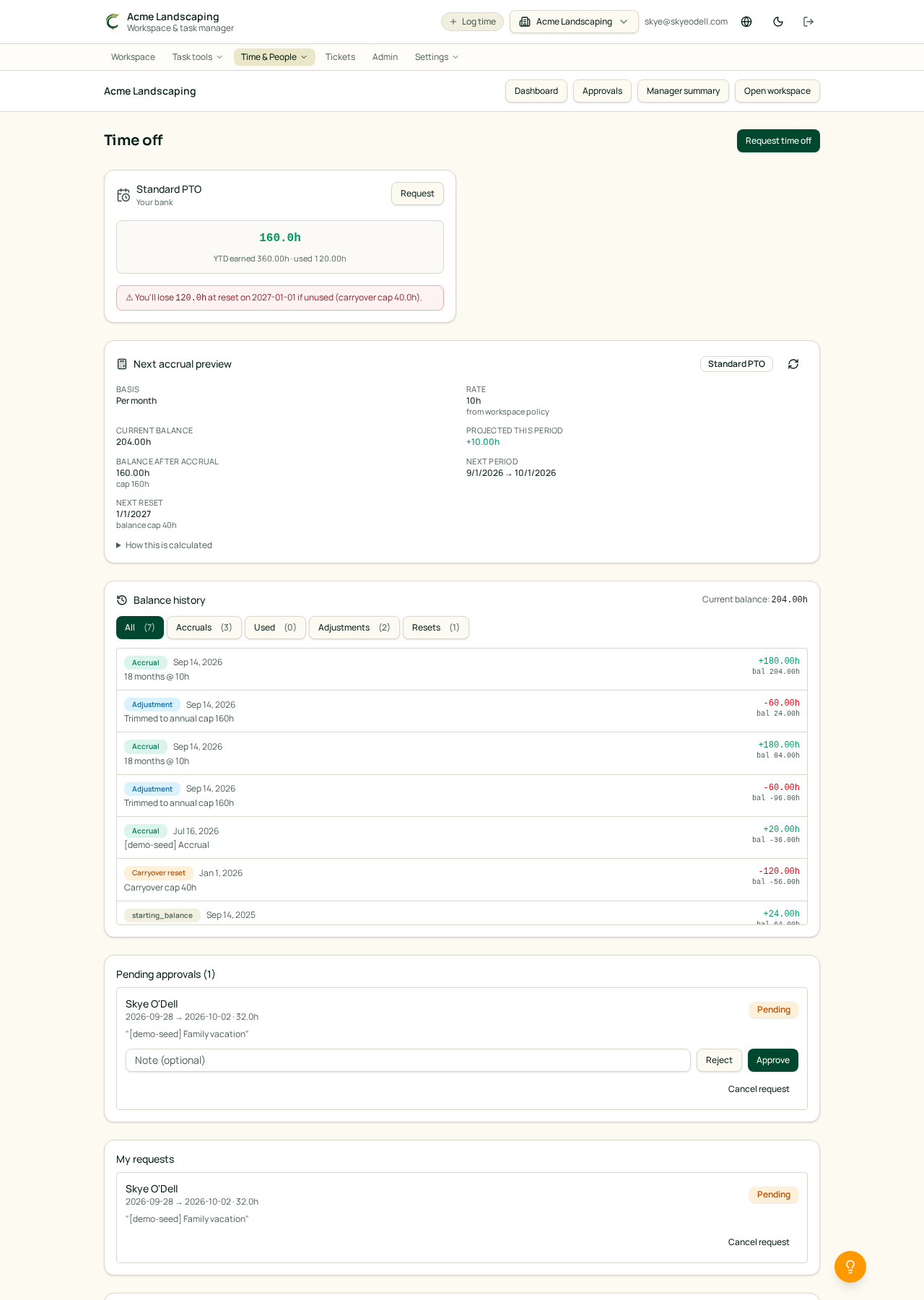
When a team member submits a time off request, it appears in the Pending approvals section of the /time-off page for their approver. As a Manager or Owner, you decide whether to approve it or send it back.
Who reviews a request
A request goes to the person set as that member's Approver in Settings → Members. If none is set, requests go to the workspace Owner. Only Owners can change approvers.
Approve or reject
On the /time-off page, the Pending approvals card lists each request with the member's name, dates, hours, and any reason they included.
- Click Approve to confirm the request. The hours are deducted from that member's balance and the affected timesheet weeks show the PTO automatically.
- Click Reject with an optional note. The hours return to the member's balance and they can submit a new request.
See everyone's history
Below the pending queue is All requests (visible to you), filterable by status — useful for spotting patterns, coordinating coverage, or auditing past decisions.
Requires the Business plan and enablement
Time off approvals require the Business+ plan and the feature to be enabled by an Owner in Settings → Workspace.
Related articles
- Requesting time off
- Setting up time-off policies and accruals
- Approving timesheets (managers)